X-ERP Help
X-ERP.timetracking – Digital time recording for companies
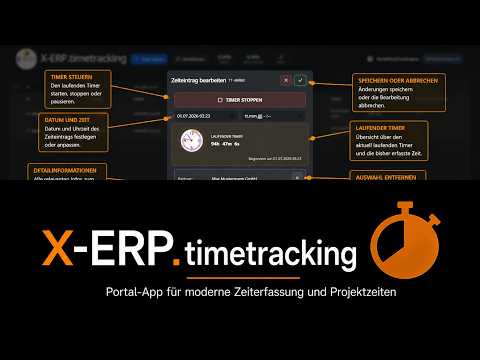
X-ERP.timetracking makes working and performance times immediately recordable and connects them with employees, documents, items or information.
Time is fleeting. The closer it is captured to the actual process, the less there is to estimate, search for or discuss later.
A simple moment for the user
A time posting can connect employees, start, end, receipt, item, information as well as “billable” and “billed” indicators. These fields turn hours into a reliable process reference.
This is how the process works
- Choose your own person and the correct order, document or item.
- Start the recording at the actual start or add a permissible period.
- Describe the service briefly and objectively.
- End at the actual end; check break and overlap.
- Only mark billable according to technical rules.
- Check the daily overview and report corrections promptly.
How you can recognize a good portal process
- Start is before the end; Duration is plausible.
- No unwanted overlap or double posting.
- Process reference is correct.
- Billable/billed will only be changed in an authorized manner.
When the path comes to a halt
- Timer continues running through break or end of day.
- Time is posted on a convenient but wrong project.
- Free text contains unnecessary sensitive details.
This is what you take with you
Time turns from an afterthought into a reliable basis for projects, services, billing and planning.
Video
Related topics
- For portal users – Unlimited user licenses for portal apps › Data flow between portal and X-ERP
- For portal users – Unlimited user licenses for portal apps › Portal access, roles and security
Frequently asked questions
**Can I add times?**
If role and company rules allow it. Mark or justify corrections in a comprehensible manner.
**What does “billable” mean?**
The service may generally be invoiced; “billed” shows the downstream actual billing status.